

Electricity Meters Explained
Not sure which numbers you need? Find your type of meter below and follow the matching instructions.
What does an electricity meter look like?
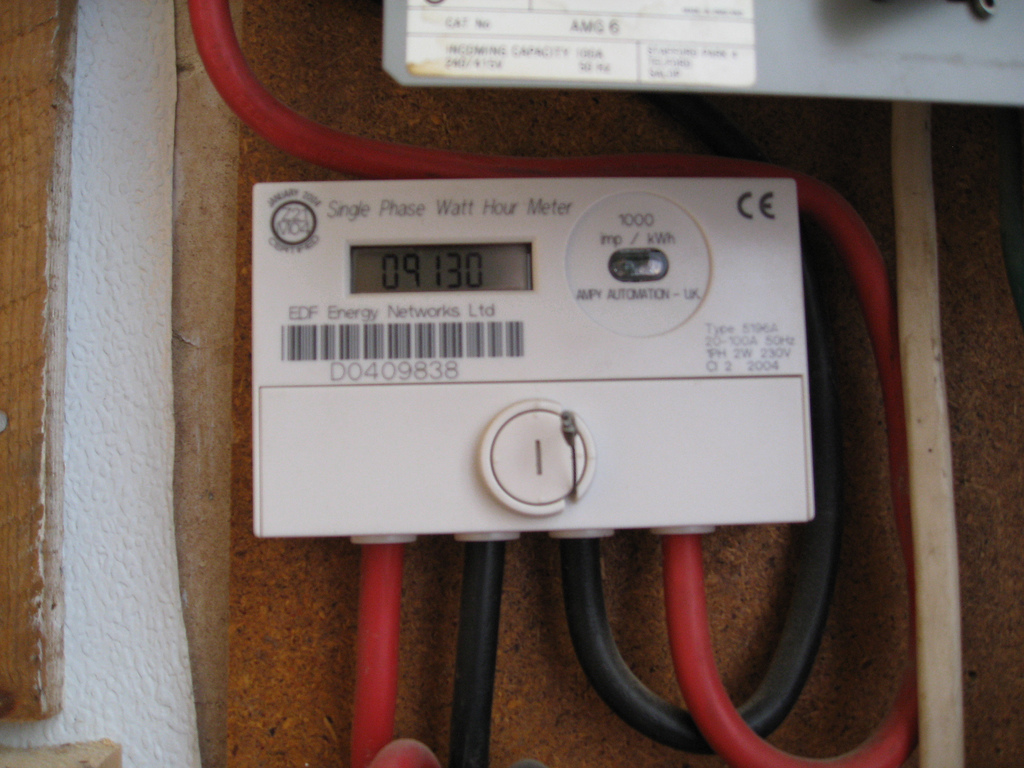
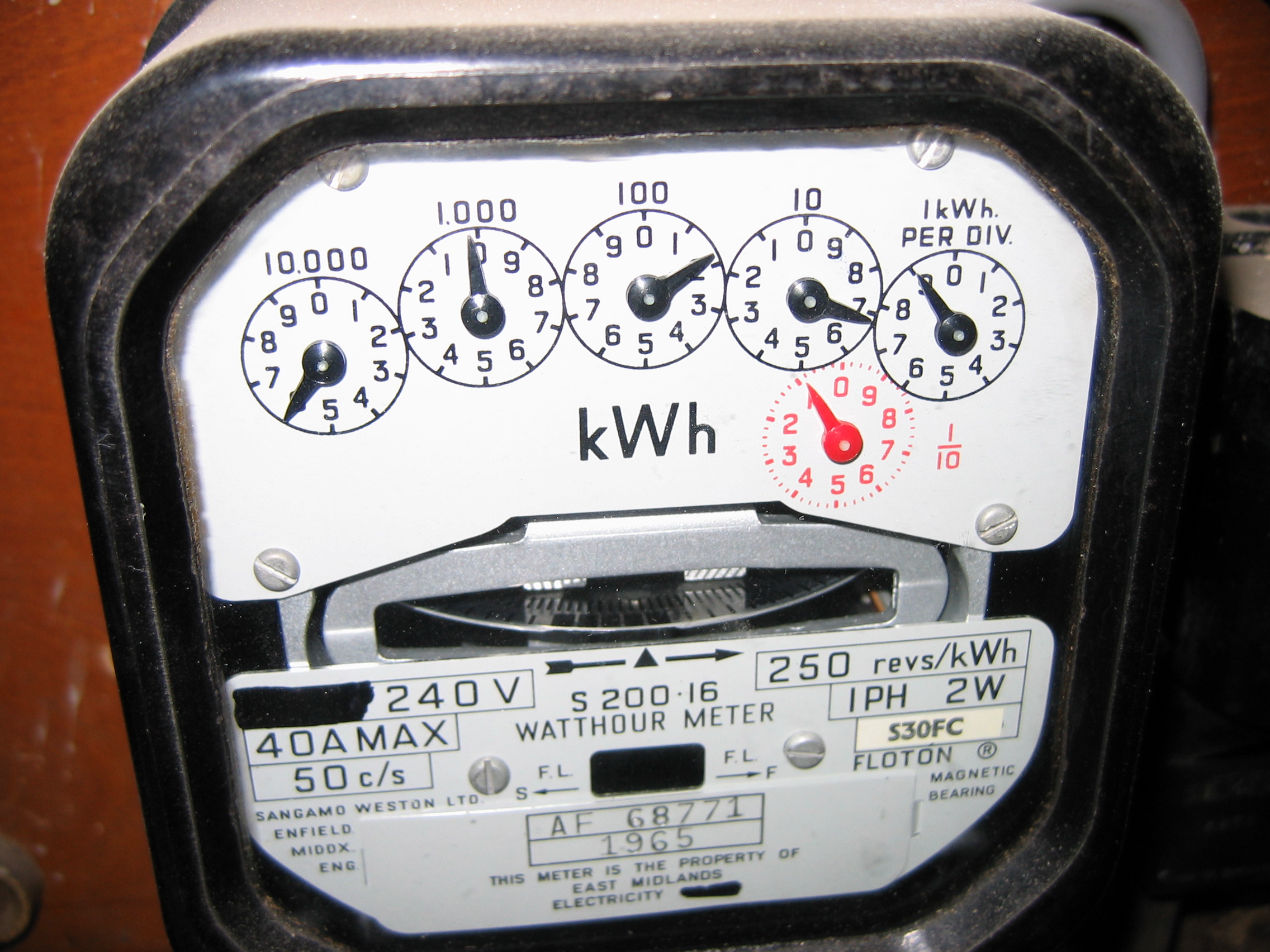
Your electricity meter is a fixed device with a digital screen, number wheels or clock-like dials. Look for a reading marked kWh. These photographs show two examples; the casing, buttons and labels on your meter may differ.
Where is my electricity meter?
In a house: check a hallway cupboard, under the stairs, the garage or an outside meter box. The meter may be near the consumer unit (fuse box), but they are separate devices.
In a flat: check inside your home first, then any designated communal meter cupboard or meter room. Ask your landlord, letting agent or building manager if you cannot find it or need access. Do not assume the nearest meter belongs to your flat: compare its serial number with your electricity bill or ask your supplier to confirm.
A portable smart-meter display is not the fixed meter. If you still cannot locate yours, contact your supplier for help.
Look in a hallway cupboard, under the stairs, in a garage, in an outside box or in a shared meter room.
Use the numbers on the fixed meter itself, not the balance or cost shown on an in-home display.
Record the digits from left to right and take a dated photo so you can check them later.
First, identify your meter
Most household meters look like one of the examples below. Buttons and labels vary, so do not worry if yours is not an exact match.
Digital or smart
A screen shows numbers and “kWh”. You may need to press a button to wake it or move through the displays.
How to read itMechanical
A row of number wheels turns as electricity is used. The final wheel may be red.
How to read itDial meter
Several small clock-like dials point to numbers and turn in alternating directions.
How to read itRead the import display
- Press the display button if the screen is blank. Button names differ, but common labels include A, B, 9 and Display.
- Stop when you see a total followed by kWh. It may also be labelled IMP, Import or Total Act Import.
- Write down the whole-number digits from left to right. Ignore digits after the decimal point.
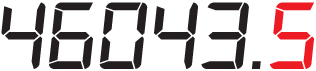
Read the number wheels
- Read the wheels from left to right.
- Include any zeroes between other digits.
- Ignore a red final digit and anything shown after a decimal point.
Think of it like a car’s mileage counter. It keeps a running total, so a new reading should normally be higher than the last one.

Follow each pointer carefully
- Read the dials from left to right. Ignore any dial marked 1/10 or 1/100.
- If a pointer sits between two numbers, write down the lower number.
- If a pointer sits between 9 and 0, write down 9.
- If a pointer appears exactly on a number, check the dial to its right. If that dial has not passed 0, reduce the number by one.

Smart meter or in-home display?
The smart meter is fixed to a wall or meter board. The small portable screen inside your home is the in-home display (IHD). Your smart meter should normally send readings to your supplier, but you may still be asked to read it yourself. In that case, use the fixed meter rather than the portable display.
Reading, meter serial number or MPAN?
The changing kWh total used to work out consumption. This is the number to enter in our calculator.
The letters and numbers printed on the meter casing. Check this against your bill if you are unsure whether you have found the right meter.
Your electricity supply number, normally found on your bill or online account. It identifies the supply point, not your usage.
Estimate your electricity bill
Enter the older reading first, then the newer one. You will also need the unit rate and standing charge from your tariff.